
Website hosting is what makes your website visible online and connects your domain name to real content people can access.

What’s the problem?
Many business owners buy a domain name but don’t realise that hosting is a separate service that actually stores the website. Hosting is often confused with website builders, and it’s not always clear when hosting is required and when it’s included. This causes broken websites, confusion during setup, and delays getting online.
Why this hurts your business
- Your website shows a blank page or error
- You don’t know where your site actually lives
- You rely on support for simple setup tasks
Quick fix you can do today
This explains hosting in plain terms and how it connects everything together.
Step 1: Understand what hosting is
Hosting is where your website files are stored.
- Text
- Images
- Pages
- Emails
When someone visits your domain, hosting delivers the website to their browser.
Most websites need hosting.
Step 2: Know when hosting is required
You usually need hosting if you use:
- WordPress
- Custom websites
- Business email
- Any self-managed website
You usually do not need separate hosting if you use:
- Squarespace
- Shopify
- Wix
These platforms include hosting as part of their service.
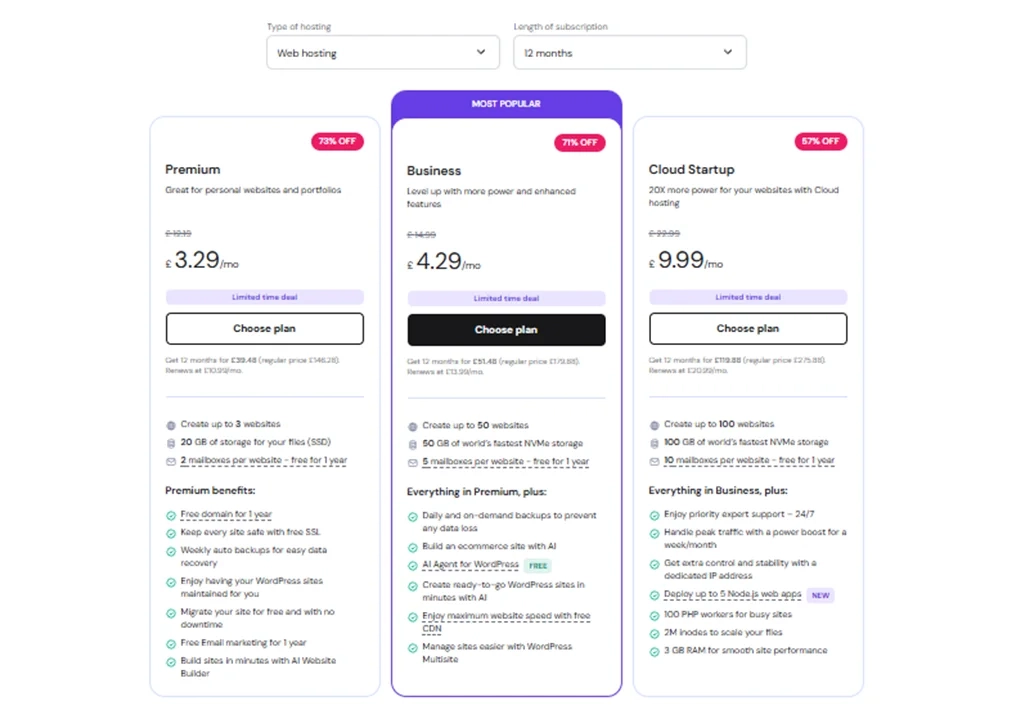
Step 3: Buy website hosting
There are many hosting providers available.
We often recommend Hostinger, but alternatives like FastHosts also work well.
What to look for in hosting:
- WordPress support
- Automatic backups
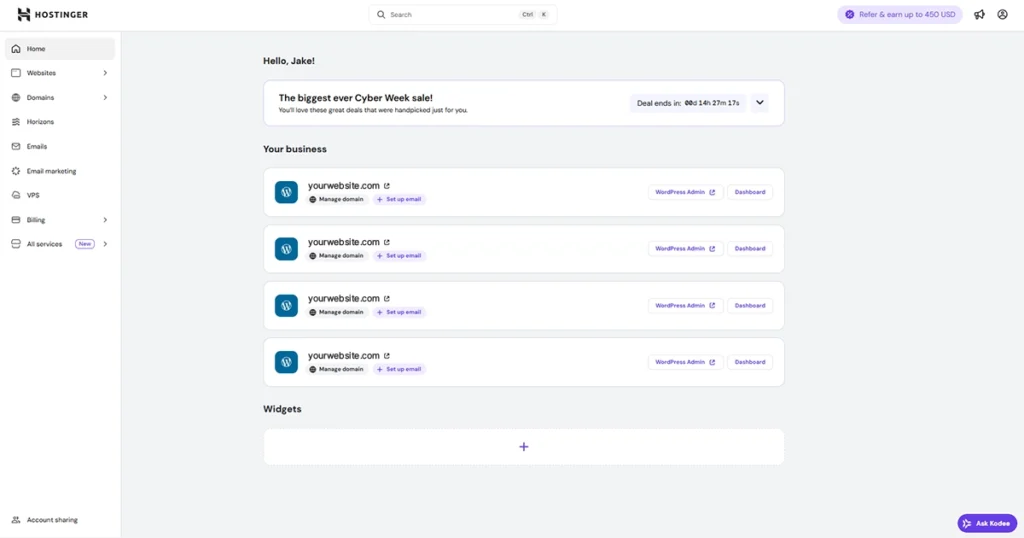
- Easy dashboard access
- Clear pricing
Typical pricing for small business hosting:
- £5–£10 per month
Step 4: Connect hosting to your domain
Your domain needs to point to your hosting.
This is done in one of two ways.
Option 1: Use nameservers (easiest)
- Copy nameservers from your hosting provider
- Paste them into your domain provider
- Hosting manages the connection
Option 2: Update DNS records manually
- Keep DNS at your domain provider
- Point records to your hosting server
Both work.
Nameservers are simpler for most people.

Want to learn more about domains and how they work?
→ Click here to learn more about domains
Step 5: Manage WordPress basics on hosting
If you use WordPress, hosting helps you:
- Log in to WordPress
- Update plugins
- Create backups
- Restore your site if needed
This reduces downtime and security issues.
Where websites are actually hosted
Websites are stored in data centres around the world.
- Amazon (AWS) powers roughly one-third of global servers
- Many hosting companies rent space from Amazon
- Others run their own infrastructure
Examples:
- Hostinger uses its own global data centres
- FastHosts operates UK-based servers
- Some providers rely fully on Amazon
All can be secure.
The difference is control, support, and pricing.
Why we suggest Hostinger
There are many hosting providers available.
We often suggest Hostinger because:
- It’s easy for beginners
- WordPress tools are built in
- Backups and restores are simple
- Pricing is affordable and clear
It’s a solid option for most small businesses.
Tool we recommend
Hostinger
Hostinger makes hosting easy to manage without technical knowledge and works well for WordPress-based business websites.
Need help with hosting setup?
If hosting feels confusing or you want everything set up properly, message us and we’ll help you get it working correctly.